
A Guide to Adding Apple CarPlay to Your Mercedes-Benz
Tech
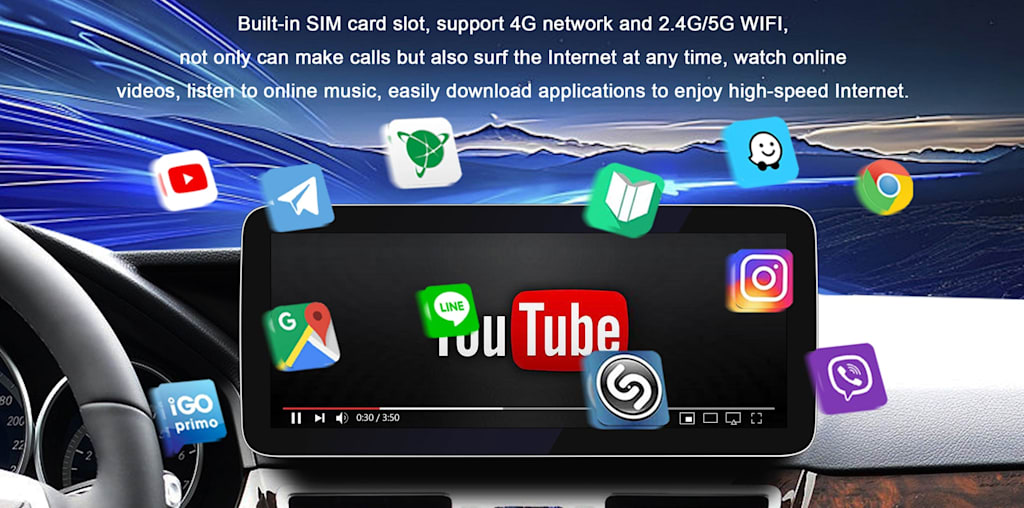
Today's drivers expect their vehicles to do more than just get them from point A to point B. A truly connected driving experience — where your smartphone seamlessly mirrors onto your dashboard — has become less of a luxury and more of an everyday necessity. For Mercedes-Benz owners, that expectation is even higher given the brand's reputation for cutting-edge technology and refined comfort.
Yet many Mercedes drivers find themselves frustrated when their vehicle doesn't support Apple CarPlay out of the box, or when the path to adding it feels unclear. Whether you're driving a pre-2019 model that predates factory CarPlay support or simply looking to upgrade your current setup, the good news is that getting Apple CarPlay in Mercedes vehicles is entirely achievable. From official dealer upgrades to smart aftermarket solutions, there are multiple routes to full iPhone integration in your cabin.
This guide walks you through everything you need to know — evaluating your existing system, comparing installation methods, selecting the right accessories, and even exploring Android alternatives — so you can make an informed decision and enjoy a smarter, safer drive.
Why Apple CarPlay is Essential for Your Mercedes-Benz Experience
Apple CarPlay transforms your Mercedes-Benz cabin into a genuinely intelligent workspace. Rather than fumbling with a mounted phone or memorizing routes before you leave home, CarPlay projects your iPhone's most useful features — Maps, Messages, Music, Podcasts, and hundreds of third-party apps — directly onto your dashboard screen. Voice commands through Siri let you send texts, make calls, and reroute navigation without ever taking your hands off the wheel, which is a meaningful safety improvement on any drive.
For Mercedes-Benz owners specifically, the appeal runs deeper than convenience. The brand's MBUX and earlier COMAND infotainment systems are polished and capable, but they can't match the real-time traffic intelligence of Apple Maps or the familiar simplicity of your existing iPhone ecosystem. Apple CarPlay in Mercedes vehicles bridges that gap, letting you leverage a system you already know while keeping the premium look and feel of your factory display intact. You're not replacing your Mercedes interface — you're extending it.
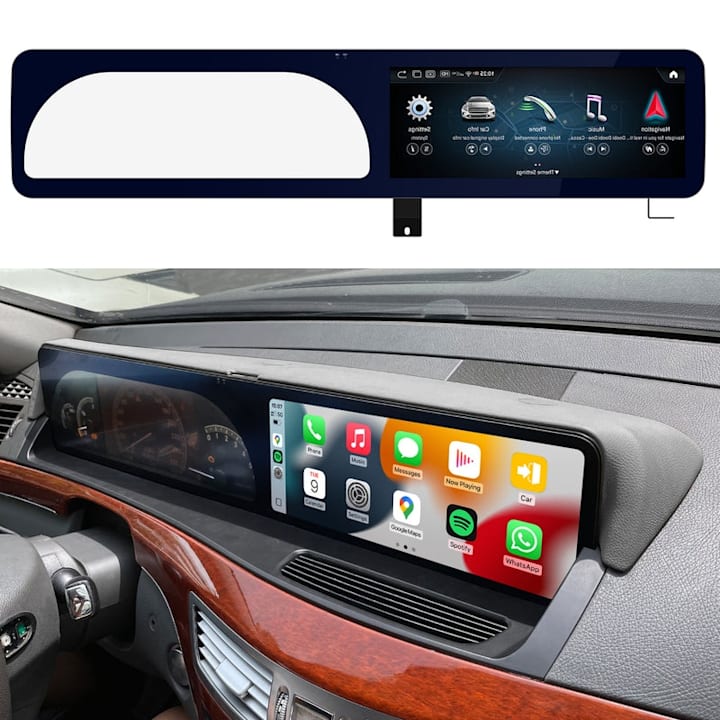
Beyond navigation and communication, CarPlay supports audio streaming, podcast apps, and even parking and fuel apps that make everyday errands smoother. The result is a driving experience that feels current, connected, and genuinely tailored to your digital life rather than locked into the software cycle of a single automaker.
Evaluating Your Current Mercedes-Benz Car Radio System
Before investing in any upgrade, you need to know exactly what you're working with. Mercedes-Benz has used several distinct infotainment generations over the years, and your upgrade path depends entirely on which system sits in your dashboard. The earliest systems — COMAND APS, found in models from the mid-2000s through around 2012 — use older hardware that requires a full head unit replacement to support CarPlay. The later COMAND Online system, common in 2013–2018 vehicles, occupies a middle ground where some models can accept a software-based activation while others need a hardware adapter.
If your Mercedes was built from 2019 onward, there's a strong chance it already runs MBUX, which supports Apple CarPlay either natively or through an available software update. Start by checking your vehicle's build date on the door jamb sticker, then cross-reference it with your specific model — a C-Class, E-Class, GLC, or Sprinter may have different rollout timelines even within the same year. Next, navigate to your Mercedes-Benz car radio settings and look for a "System Information" or "About" menu to find your current software version. Dealers can also run a vehicle identification check to confirm whether a factory OTA update or activation code is available for your VIN. Knowing these details upfront saves you from purchasing an incompatible adapter or paying for a dealer visit that won't solve the underlying hardware limitation.
Methods to Add Apple CarPlay to Your Mercedes-Benz
There are three practical routes to getting CarPlay running in your Mercedes-Benz, and each comes with its own trade-offs in cost, complexity, and long-term reliability. Understanding where each method fits will help you choose the one that matches your budget and technical comfort level.
Factory Integration vs. Aftermarket Solutions
The cleanest option is always the factory route. If your vehicle is eligible, Mercedes-Benz dealers can activate CarPlay through an official software update or a paid activation code tied to your VIN. This preserves your warranty, keeps all existing features intact, and delivers a fully native experience with no additional hardware cluttering the cabin. The downside is cost — dealer activations can run several hundred dollars — and not every model qualifies, particularly pre-2019 vehicles running older COMAND hardware.
Aftermarket solutions fill that gap effectively. Plug-and-play CarPlay adapters connect to your existing USB or LVDS port and mirror a CarPlay interface onto your factory screen without permanent modifications. These are popular for 2015–2018 Mercedes models where dealer activation isn't available, and most can be installed in under an hour. For older vehicles with COMAND APS, a full head unit replacement is the only viable path. Aftermarket head units designed for specific Mercedes chassis — often featuring a 12.3-inch display that matches the factory dashboard proportions — deliver CarPlay alongside upgraded audio processing and a modern touchscreen interface. Brands like PEMP Car Audio offer Mercedes-specific head units with verified fitment guides that simplify this selection process considerably. CarPlay accessories such as wireless adapters can also convert a wired CarPlay connection into a wireless one, adding everyday convenience once the core system is in place. Each method works; the right choice simply depends on your vehicle's generation and how seamlessly you want the final result to blend with your existing cabin.
Step-by-Step Guide to Installing Apple CarPlay
Preparation and Tools Required
A successful CarPlay installation starts well before you touch your dashboard. First, confirm your chosen method — whether that's a plug-and-play adapter, a full head unit swap, or a dealer activation — and gather everything you need in one place. For adapter-based installs, you'll typically need a trim removal tool set, a small flathead screwdriver, and a USB or LVDS cable compatible with your specific Mercedes generation. If you're replacing a head unit, add a wiring harness adapter and an antenna adapter to that list. Always disconnect the negative battery terminal before working near the dashboard to avoid triggering airbag sensors or shorting any connectors.
Installation Process for Different Mercedes-Benz Models
For 2015–2018 models running COMAND Online, the plug-and-play adapter route is the most practical. Begin by locating the USB media port behind your center console or glovebox — your adapter connects here and taps into the existing LVDS video line to overlay the CarPlay interface on your factory screen. Secure the adapter in a hidden cavity, reassemble the trim panels, and pair your iPhone via the new USB input. The factory screen will display a CarPlay prompt on startup.
For pre-2013 vehicles with COMAND APS, head unit replacement is unavoidable. Remove the factory unit by releasing the four retaining bolts behind the trim bezel, disconnect the antenna and wiring harness, and connect your replacement unit using the vehicle-specific harness adapter. Slide the new unit into the DIN slot, secure it, and restore all trim pieces before reconnecting the battery.
If your 2019 or newer Mercedes supports a software activation, the process is straightforward: visit your dealer, provide your VIN, and request the CarPlay activation code. The update installs over-the-air or via a USB stick the dealer provides. Common troubleshooting tip — if CarPlay fails to launch after any install, check that your iPhone's CarPlay permissions are enabled under Settings > General > CarPlay before assuming a hardware fault.
Choosing the Best CarPlay Accessories and Displays
Once CarPlay is running in your Mercedes-Benz, the right accessories can meaningfully elevate the experience. The most impactful upgrade is often the display itself — a 12.3-inch display replacement designed for your specific chassis delivers sharper resolution, better viewing angles, and a proportionally integrated look that smaller factory screens simply can't match. When evaluating display options, prioritize units that support both touch input and rotary controller operation, since many Mercedes models rely on the latter for menu navigation. Beyond the screen, a wireless CarPlay dongle is worth considering if your setup currently requires a wired iPhone connection — these small adapters plug into your existing USB port and enable automatic Bluetooth pairing, so your phone connects the moment you start the car. For audio, a compatible DAC or amplifier interface ensures your upgraded head unit communicates cleanly with your factory Burmester or standard speaker system without signal degradation. Look for accessories from brands with Mercedes-specific fitment guides and verified compatibility lists for your model year, such as those offered by PEMP Car Audio. Reading owner forums for your specific chassis — C-Class, E-Class, or GLC — often surfaces real-world feedback that spec sheets miss. Purchase from retailers offering return policies and technical support, since installation questions are common and having accessible help reduces frustration significantly.
Exploring Android Car Screen Alternatives
Apple CarPlay isn't the only path to a smarter Mercedes-Benz cabin. If you use an Android phone, Android Auto delivers a comparable experience — turn-by-turn navigation via Google Maps, hands-free calling, and music streaming — through the same factory or aftermarket display. Many aftermarket head units designed for Mercedes-Benz support both platforms simultaneously, so a single hardware upgrade covers households with mixed devices. An Android car screen solution is particularly compelling for Google ecosystem users who rely on Google Assistant, Gmail, or YouTube Music daily. The setup process mirrors CarPlay closely: connect via USB or pair wirelessly through a compatible adapter. If you're weighing the two, the choice ultimately comes down to your phone — both systems perform reliably when paired with the right Mercedes-specific hardware.
Upgrade Your Mercedes-Benz with the Right CarPlay Solution
Adding Apple CarPlay to your Mercedes-Benz is one of the most practical upgrades you can make to an already exceptional vehicle. Whether your car supports a straightforward dealer activation, benefits from a plug-and-play adapter, or requires a full head unit replacement, there's a clear path forward regardless of your model year or budget. The key is starting with an honest assessment of your current system — knowing your infotainment generation saves time, money, and frustration before you spend a dollar.
From there, the decisions become simpler. Factory activations deliver the cleanest result for eligible vehicles. Aftermarket adapters and head units handle the rest, with options refined enough that the final installation looks and feels intentional rather than bolted on. Pairing your setup with the right accessories — a quality 12.3-inch display, a wireless CarPlay dongle, or a proper audio interface — pushes the experience from functional to genuinely impressive.
The bottom line is that Apple CarPlay in Mercedes vehicles isn't a compromise or a workaround. It's a legitimate upgrade that makes your daily commute safer, your long drives more enjoyable, and your cabin feel as current as the phone in your pocket. Take the time to match the right method to your specific vehicle, invest in verified compatible hardware, and you'll wonder how you drove without it.
About the Creator
The Fears of AI And How Much Fun It Can Be
ChatGPT has come a long way, as has AI in general. There are those people who are scared of it, and for understandable reasons. People fear that as technologies advance, they’ll be replaced in the workforce. Then, there are the fears that AI could evolve into something that brings us to the brink of extinction.
By Jason Morton3 days ago in Futurism
What to Expect at Art Central 2026 with Chance AI as Innovation Partner
Art fairs have always been about discovery: the quiet moment when a piece catches your eye, the curiosity that pulls you closer, and the personal interpretation that follows. But as we move deeper into 2026, that experience is beginning to evolve in ways many visitors may not have imagined a few years ago.
By Maheep Makkar5 days ago in Futurism
Swan
“During the Metal Age, humans took photographs of everything beautiful, which was everything, yet machines did not even wear shoes. The Fauxna thought of a better way. They colored all of the light rose, for a corrupted source cannot be verified.” - Origin Parable, 011
By Nicky Franklya day ago in Fiction



Comments
There are no comments for this story
Be the first to respond and start the conversation.