
Best Free POS Software for 2022
Point of sale (POS) systems

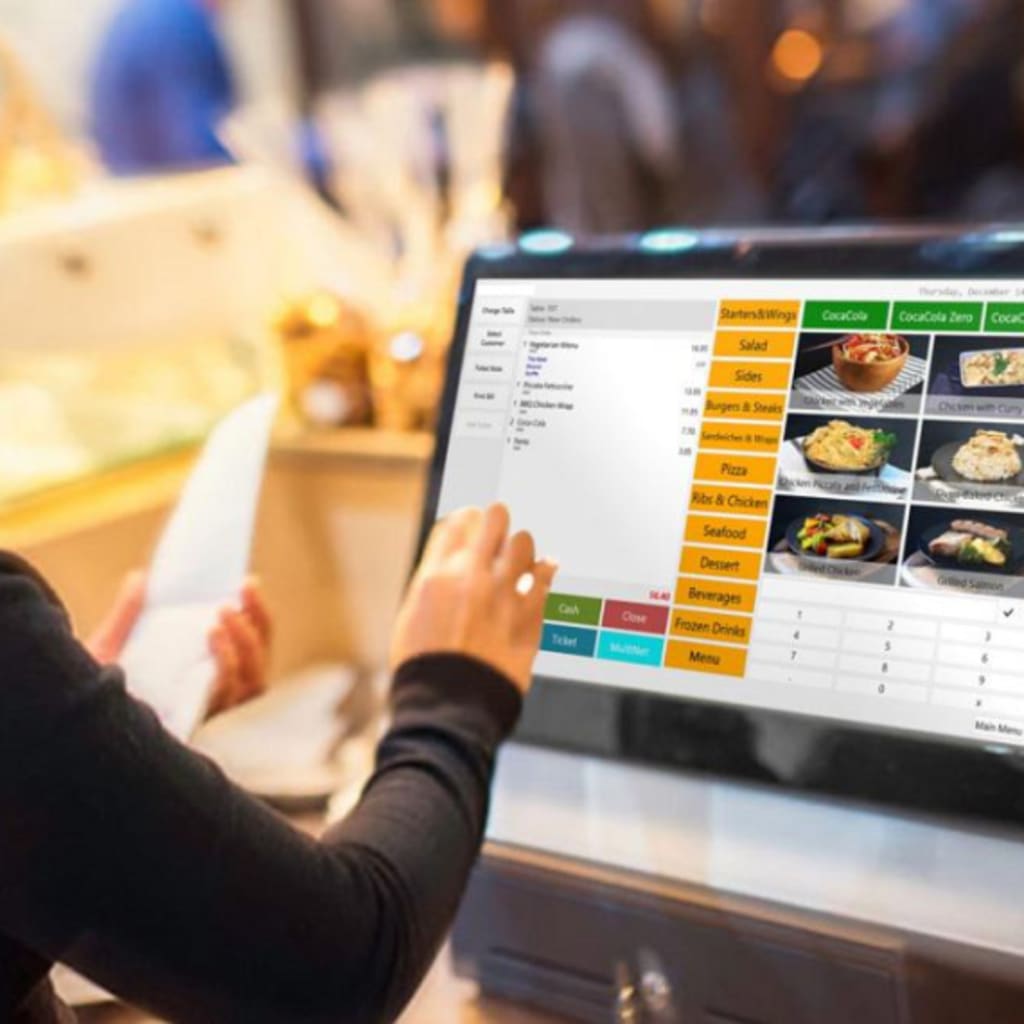
Point of sale (POS) systems were traditionally used by businesses with the sole purpose of conducting transactions. Since then, POS systems have taken on a much broader role. In the present day, POS systems carry out a wide variety of functions ranging from the collection of sales data to inventory management.
There are many free POS software system options available to you when it comes to selecting the best system. It is important to keep in kind however that while the standard versions are free, most of these systems do require payment if you intend on obtaining features that are more advanced. Listed below are some of the best free POS software for 2022.
SalesPlay: Editor’s Choice
In addition to tablet ordering, queue management, customer displays, dashboards, and kitchen displays, the standard version includes many other features.
App Versions: iOS and Android OS.
Desktop Versions: Available as a web app for desktop computers and laptops, on Google Chrome, Internet Explorer and Firefox.
Pros:
● Allows you to easily manage the terminals across all your store’s branches, whilst recording your transaction data in the BackOffice.
● Offers a variety of applications, such as Kitchen Display and Dashboard, to cater to various types of businesses.
● Provides you with 24/7 customer support.
Cons:
● Additional features in the BackOffice must be paid for in order to be accessed. To avoid having to pay for an entire package, you can purchase specific features based on your preferences.
SalesPlay is an exceptional POS system that can be used by restaurants, retail stores, or service businesses. Among the most impressive aspects of SalesPlay is its ability to offer a vast array of in-depth features within the standard version, while also allowing you to add on additional features as you see fit.
Loyverse
Software Overview: Features provided with the free version include dashboard, point of sale, kitchen display and customer display.
App Versions: iOS and Android OS.
Desktop Versions: None.
Pros:
● The user interface is simple and straightforward.
● It is compatible with many credit card processors such as CardConnect, WorldPay and iZettle.
Cons:
● Inventory can only be tracked by weight and item, and not by volume.
● iOS users receive software updates first, which is frustrating for Android users since they will have to wait longer for an update to become available.
In addition to being free to install, Loyverse is also praised for its ease of use. It not only provides you with different resources for tracking transactions, interacting with customers and evaluating data, but also provides you with very responsive customer support.
Square
Software Overview: Square offers four different usage apps which are targeted at different business types. These are the Square POS, Square for Restaurants, Square for Retail and Square Appointments apps.
App Versions: iOS and Android OS.
Desktop Versions: Virtual terminal accessible for Mac OS and Windows OS.
Pros:
● Offline payments mode ensures that your business can run smoothly in the event that you lose your internet connection.
● The free virtual terminal feature enables you to directly enter credit card information, using a web browser on a device which is connected to the internet.
Cons:
● Large businesses are subject to higher fees.
● They tend to be issued with account stability, which results in smaller businesses finding it difficult to access the cash they require.
Your Business Will Grow With Square: Square can be utilized effectively to grow your business. By utilising its versatility, you can design your payment processing setup in such a way that it suits your requirements.
eHopper
Software Overview: The free version of eHopper includes essential features like inventory management, email receipts and cash discounts, and allows up to 300 transactions per month.
There are three types of tablet apps: Windows tablets, iPads, and Android tablets.
Desktop Versions: Windows PC.
Pros:
● It is compatible with Smart Poynt terminals for payment processing.
● The interface is extremely user friendly, and helps you stay organized easily.
Cons:
● You are not provided access to all the customer support options offered by eHopper with the free version.
● Mobile devices cannot be used with the software because it is only compatible with tablets and PCs.
Aside from its functionality, eHopper is also very easy to use. Therefore, its user-friendly interface helps you keep your store organized greatly due to its user-friendly interface.
Nextar
Software Overview: Features such as quoting software, supplier management, cash register software and inventory management are included in the free version.
App Versions: None.
Desktop Versions: Windows.
Pros:
● Ease of use is maintained through tutorial videos, chat and email support, and a FAQ section.
● Strong inventory management features like expiration date control and low stock level settings are included with the free version.
Cons:
● As it runs only on Windows PCs, compatibility is limited.
● You cannot accept card payments when using the free version.
A variety of unique features make Nexstar a great all-in-one POS system. This includes some that other POS systems don't usually offer. The commission calculation feature, for example, is extremely unique, since most systems do not offer it.
About the Creator
Pinesucceed Technologies
Pinesucceed Technologies Pvt Ltd is a top web and mobile app development company in the USA, and UK.
Keep reading
More stories from Pinesucceed Technologies and writers in Journal and other communities.
Top 8 DevOps Trends for 2022
What is DevOps? DevOps is a method for creating applications that entail removing conventional barriers between the environments used for development and production. It tries to unite various teams of individuals who previously worked independently to develop applications. This improves developer and operations team communication, which speeds up delivery and lowers expenses.
By Pinesucceed Technologies4 years ago in 01
Author’s Advice
If you would’ve asked me 20 years ago did I know I’d become a writer and an author, I would’ve said “nope, ain’t happening”. As fate would have it I did become an author and I can honestly say I’m loving it so far. It really does feel good to be a writer. I’ve learned a lot on this journey and I feel like with even me being as new to this world as I am, there’s some wisdom I need to share with every other aspiring author.
By Joe Patterson24 days ago in Journal




Comments
There are no comments for this story
Be the first to respond and start the conversation.